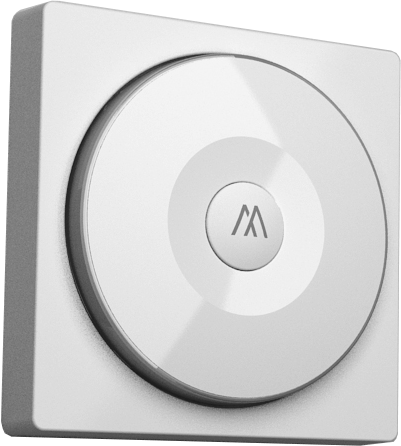
- Name
- Copenhagen Blind Wall Controller
- Brand
- Art Andersen CPH
- Features
- Feature Values Color
- Documents
- Category Description File Manual_Primary_Lang
- Role type
- ROLE_TYPE_SLAVE_PORTABLE
- User icon
- 0x1600
- Categories
- All Lighting Devices, Lighting Accessories, Window Covering
- Product id
- 0x0001
- Device type
- Wall Controller
- Oem version
- HW: 1 FW: 1.08:01.06
- Library type
- SLAVE_ENHANCED
- Supports nwi
- Yes
- Installer icon
- 0x1600
- Z wave version
- 6.51.09
- Frequency plans
- EU: 869.85MHz, 868.40MHz
- Manufacturer id
- 0x0249
- Product type id
- 0x0002
- Long description
- Wall Controller that controls one or several Copenhagen Blinds. The Wall Control use batteries which can be charged via a USB cable. The Wall Controller can also be removed from the wall holder and used as a portal controller.
- Hardware platform
- SD3502
- Short description
- Wall Controller that controls one or several Copenhagen Blinds.
- Product identifier
- AACPH-RC1-EU
- Countries / regions
- European Union
- Certification number
- ZC10-16115314
- Configuration parameters
- Parameter Number Name Description Format Size Min Value Max Value Default Value Parameter Values 2
- Supports explorer frames
- Yes
- Supported command classes
- Identifier Name Key Version COMMAND_CLASS_POWERLEVEL
- Controlled command classes
- Identifier Name Key Version COMMAND_CLASS_BASIC
- Value white battery quantity value 1 battery type value li602025 z wave scene type value central scene association groups
- Group Number Maximum Nodes Supported End Point ID Description 1
- From to description 0 99 basic set value of on from 0~99 25 percentage set method dimmer setting method. 0 : auto send command basic set after rotating. 1 : send command basic set by touching key after rotating 0 1 0 0 0 from to description 1 1 send command basic set by touching key after rotating 0 0 auto send command basic set after rotating. 1 basic set off level control the value represented by the left side in area d. e.g. setting this configuration to 0x0 f means range of command basic set value start from 0x0 f. 0 1 0 0 0 from to description 0 99 basic set value of off from 0~99 texts
- ID Description Value 5