- Name
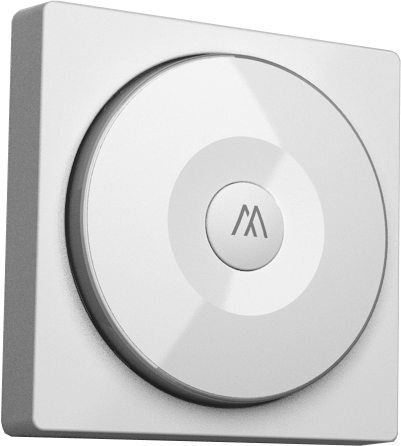
- Smart Color Button
- Brand
- WeBeHome
- Features
- Feature Values Z-Wave Scene Type
- Documents
- Category Description File Manual_Primary_Lang
- Role type
- ROLE_TYPE_SLAVE_PORTABLE
- User icon
- 0x1600
- Categories
- All Lighting Devices, Lighting Accessories
- Product id
- 0x0001
- Device type
- Wall Controller
- Oem version
- HW: 1 FW: 1.08:01.06
- Library type
- SLAVE_ENHANCED
- Supports nwi
- Yes
- Installer icon
- 0x1600
- Z wave version
- 6.51.09
- Frequency plans
- EU: 869.85MHz, 868.40MHz
- Manufacturer id
- 0x0249
- Product type id
- 0x0002
- Long description
- This device is a multiple functions button switch. It is able to switch the appliances on/off or adjust the percentage of dimmer. The well designed wall bracket and magnetic back let the switch can be fixed on the wall. This product can be included and operated in any Z-Wave™ network with other Z-Wave™ certified devices from other manufacturers and/or other applications.
- Hardware platform
- SD3502
- Short description
- This device is a multiple functions button switch. It is able to switch the appliances on/off or adjust the percentage of dimmer or curtain.
- Product identifier
- PSR07
- Countries / regions
- European Union
- Certification number
- ZC10-16105272
- Radio range z wave (m)
- 40
- Configuration parameters
- Parameter Number Name Description Format Size Min Value Max Value Default Value Parameter Values 2
- Supports explorer frames
- Yes
- Supported command classes
- Identifier Name Key Version COMMAND_CLASS_POWERLEVEL
- Controlled command classes
- Identifier Name Key Version COMMAND_CLASS_BASIC
- Value central scene battery quantity value 1 battery type value li602025 association groups
- Group Number Maximum Nodes Supported End Point ID Description 2
- From to description 0 99 basic set value of on from 0~99 25 percentage set method dimmer setting method. 0 : auto send command basic set after rotating. 1 : send command basic set by touching key after rotating 0 1 0 0 0 from to description 0 0 auto send command basic set after rotating. 1 1 send command basic set by touching key after rotating 1 basic set off level control the value represented by the left side in area d. e.g. setting this configuration to 0x0 f means range of command basic set value start from 0x0 f. 0 1 0 0 0 from to description 0 99 basic set value of off from 0~99 texts
- ID Description Value 5