- Name
- simple room display
- Brand
- baseCON
- Features
- Feature Values Sensors
- Documents
- Category Description File Manual_Primary_Lang
- Role type
- ROLE_TYPE_SLAVE_ALWAYS_ON
- User icon
- 0x1D04
- Categories
- Sensors, All Lighting Devices, On/Off Switches/Devices
- Product id
- 0x0002
- S2 classes
- S2_UNAUTHENTICATED
- Device type
- Wall Controller
- Oem version
- HW: 1 FW: 1.01:01.01
- Library type
- SLAVE_ROUTING
- Supports nwi
- Yes
- Installer icon
- 0x1D04
- Z wave version
- 6.71.01
- Frequency plans
- EU: 869.85MHz, 868.40MHz
- Manufacturer id
- 0x0348
- Product type id
- 0x0002
- Long description
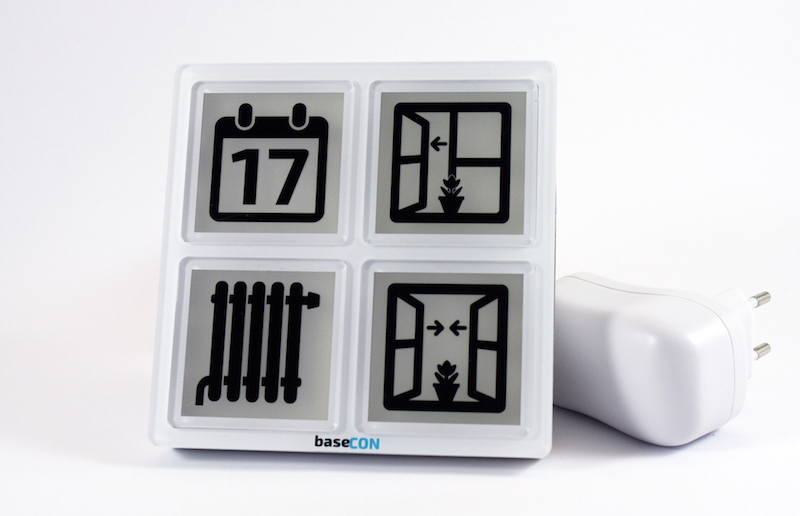
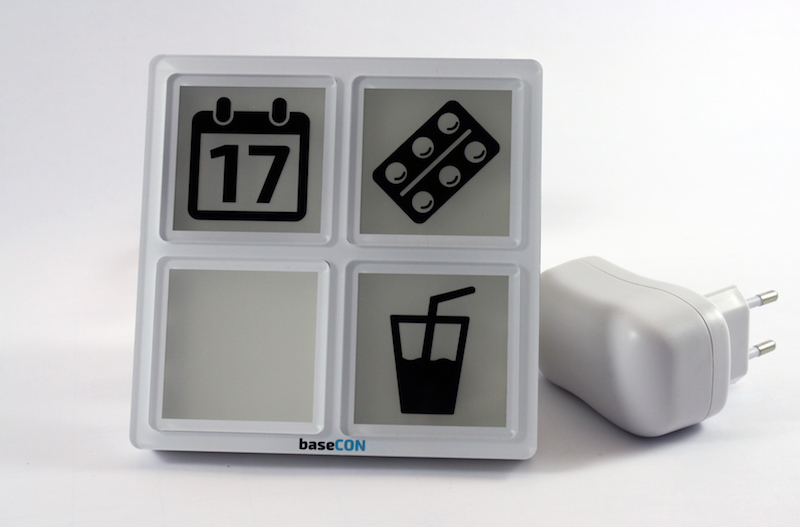
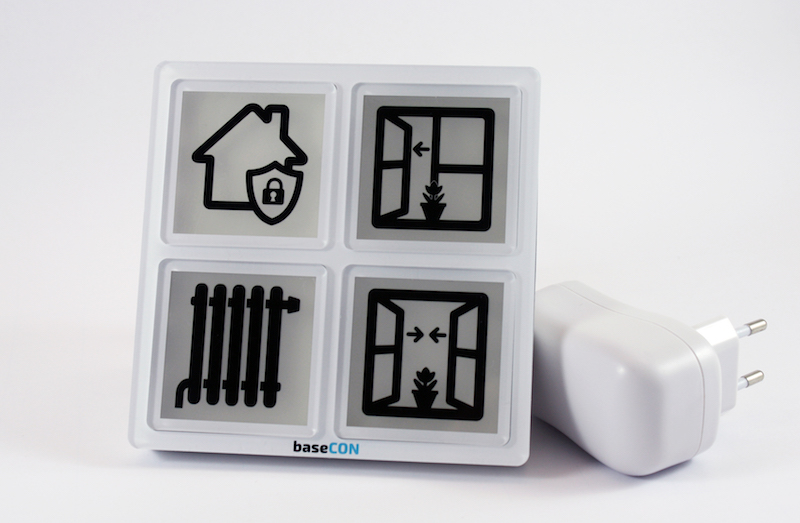
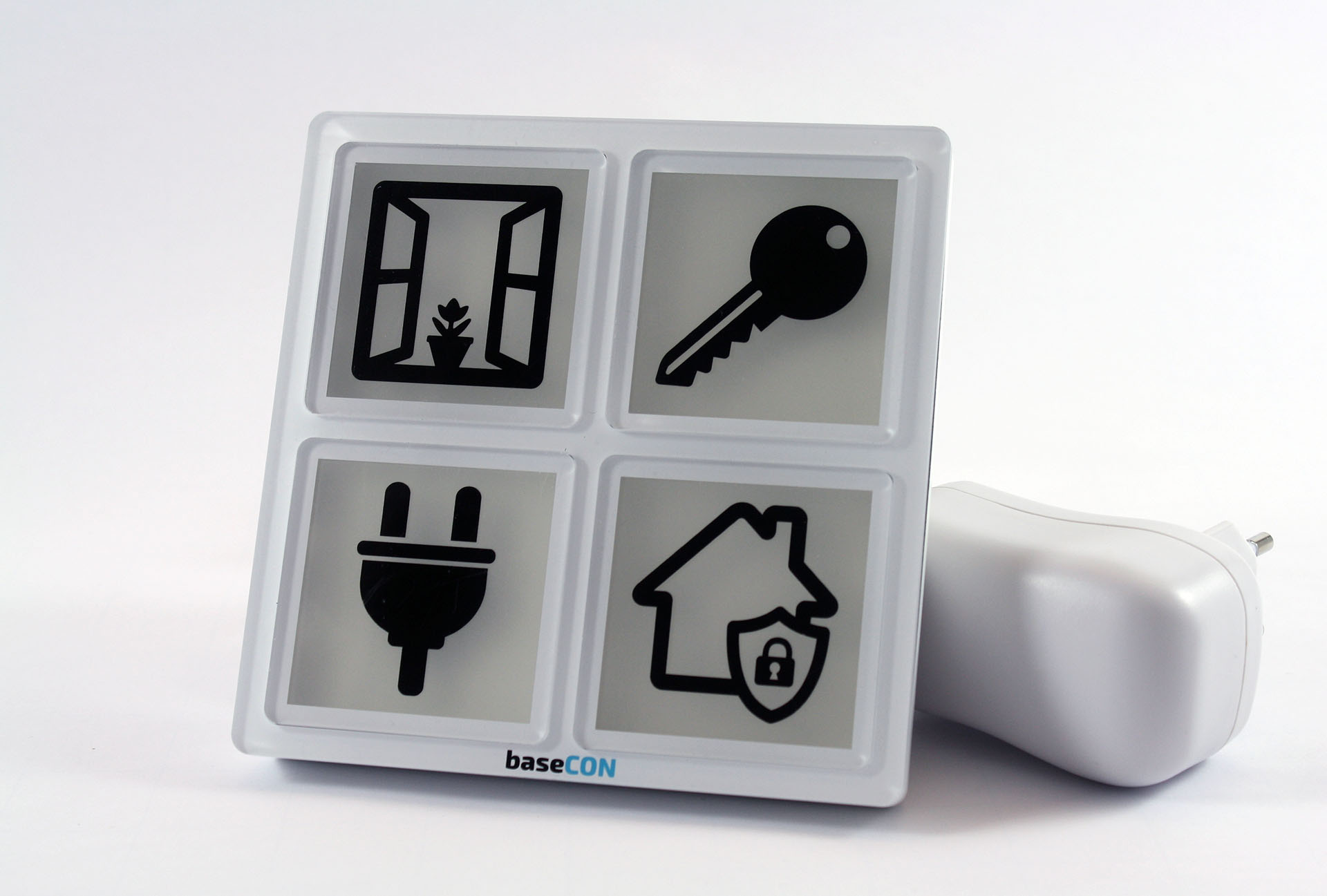
- The room display is a four-way button with integrated RGB LED lighting and MP3 player for switching (e.g. socket module ...) and displaying states of Z-Wave network components or system functions. When a key is pressed, a notification message frame is sent with the information - key number, number of actuations. The LED RGB illumination of the buttons can be controlled via the Z-Wave controller. Currently, in the standard version of the room display three sounds are stored in the MP3 player and can be activated via the controller. In addition, the room display includes a temperature and humidity sensor. The measured values can be queried directly or / and transmitted cyclically (configurable from 1 minute to 254 minutes). The function of the individual keys is indicated by an exchangeable symbol (foil). The product is available as wall or table version. The room display is powered by a fixed power supply. It is a wide-range power supply (primary 100V-240V AC / secondary 12V / 1A DC). For wall mounting, it can be installed via a separate flush-mounted power supply unit. When installing via the flush-mounted power supply, the installation must be carried out by a specialist. The room display can be used for various use cases. For example, an alarm function (window / door monitoring) can be realized via the room display. The buttons on the room display can be used to activate and deactivate the alarm function. In case of a triggered alarm, the room display can show the alarm with a visual and acoustic signal. It should be noted that the room display does not have its own intelligence, so the functionality must be realized via the Z-Wave controller. Other use cases are e.g. activate and deactivate scenarios, switch on and off a power module, reminder of appointments, medication,... .
- Hardware platform
- ZM5202
- Short description
- The room display is a four-way button with integrated RGB LED lighting and MP3 player for switching and displaying states of Z-Wave network components or system functions. In addition, the room display includes a temperature and humidity sensor. The function of the individual keys is indicated by an exchangeable symbol (foil).
- Product identifier
- 210002
- Countries / regions
- European Union
- Certification number
- ZC10-18036050
- Radio range z wave (m)
- 40
- Configuration parameters
- Parameter Number Name Description Format Size Min Value Max Value Default Value Parameter Values 5
- Supports explorer frames
- Yes
- Supported command classes
- Identifier Name Key Version COMMAND_CLASS_POWERLEVEL
- Value air temperature humidity switch type value push button illuminated z wave scene type value central scene color value white communications protocol value z wave serial api firmware updatable value updatable by manufacturer association groups
- Group Number Maximum Nodes Supported End Point ID Description 1
- From to description 0 16777215 rgb value color table row 0 3 temp adj slope correction value temperature measurement (slope) slope = value / 10000 0 1 0 0 1 from to description 100 32767 slope = value/10000 4 temp adj offset correction value temperature measurement (offset) temperature offset [0.1 c] 0 1 0 0 0 from to description 128 128 temperature offset [0.1 c] 8 colors table [3] definition of the color value (rgb) color table row 3 command class color switch 0 4 0 0 16762880 from to description 0 16777215 rgb value color table row 3 9 colors table [4] definition of the color value (rgb) color table row 4 command class color switch 0 4 0 0 3302400 from to description 0 16777215 rgb value color table row 4 6 colors table [1] definition of the color value (rgb) color table row 1 command class color switch 0 4 0 0 16711680 from to description 0 16777215 rgb value color table row 1 7 colors table [2] definition of the color value (rgb) color table row 2 command class color switch 0 4 0 0 16730880 from to description 0 16777215 rgb value color table row 2 11 colors table [6] definition of the color value (rgb) color table row 6 command class color switch 0 4 0 0 25625 from to description 0 16777215 rgb value color table row 6 17 colors table [12] definition of the color value (rgb) color table row 12 command class color switch 0 4 0 0 16777215 from to description 0 16777215 rgb value color table row 12 23 colors table [18] definition of the color value (rgb) color table row 18 command class color switch 0 4 0 0 16777215 from to description 0 16777215 rgb value color table row 18 24 colors table [19] definition of the color value (rgb) color table row 19 command class color switch 0 4 0 0 16777215 from to description 0 16777215 rgb value color table row 19 10 colors table [5] definition of the color value (rgb) color table row 5 command class color switch 0 4 0 0 38400 from to description 0 16777215 rgb value color table row 5 25 send mv period send cycle for measured value [min] for temperature ans humidity 0 1 0 0 0 from to description 0 127 send cycle for measured value [min] for temperature ans humidity texts