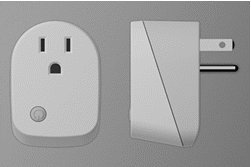
- Name
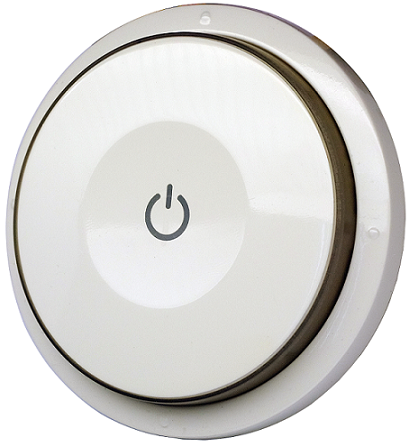
- Smart Color Button
- Brand
- Philio
- Documents
- Category Description File Manual_Primary_Lang
- Role type
- ROLE_TYPE_SLAVE_PORTABLE
- User icon
- 0x1600
- Categories
- All Lighting Devices, Dimming Lighting Devices
- Product id
- 0x0022
- Device type
- Wall Controller
- Oem version
- HW: 1 FW: 1.09:01.06
- Library type
- SLAVE_ENHANCED_232
- Supports nwi
- Yes
- Installer icon
- 0x1600
- Z wave version
- 6.51.09
- Frequency plans
- ANZ: 919.80MHz, 921.40MHz
- Manufacturer id
- 0x013C
- Product type id
- 0x0009
- Long description
- This device is a multiple functions button switch. It is able to switch the appliances on/off or adjust the percentage of dimmer. It can also work as a timer. The well designed wall bracket and magnetic back let the switch can be fixed on the wall. This product can be included and operated in any Z-Wave™ network with other Z-Wave™ certified devices from other manufacturers and/or other applications.
- Hardware platform
- SD3502
- Short description
- This device is a multiple functions button switch. It is able to switch the appliances on/off or adjust the percentage of dimmer. It can also work as a timer.
- Association groups
- Group Number Maximum Nodes Supported End Point ID Description 1
- Product identifier
- PSR04
- Countries / regions
- Brazil
- Certification number
- ZC10-17105808
- Configuration parameters
- Parameter Number Name Description Format Size Min Value Max Value Default Value Parameter Values 25
- Supports explorer frames
- Yes
- Supported command classes
- Identifier Name Key Version COMMAND_CLASS_POWERLEVEL
- Controlled command classes
- Identifier Name Key Version COMMAND_CLASS_BASIC
- From to description 2 2 disable buzzer in timer mode. 0: enable. 1: disable. 1 1 dimmer setting method. 0 : auto send command basic set after rotating. 1 : send command basic set by touching key after rotating 1 basic set off level control the value represented by the left side in area d. e.g. setting this configuration to 0x0 f means range of command basic set value start from 0x0 f 0 1 0 0 0 from to description 0 99 control the value represented by the left side in area d. 2 basic set on level control the value represented by the right side in area d. e.g. setting this configuration to 0x1 e means range of command basic set value start from 0x1 e 0 1 0 0 99 from to description 0 99 control the value represented by the right side in area d. texts
- ID Description Value 1