- Name
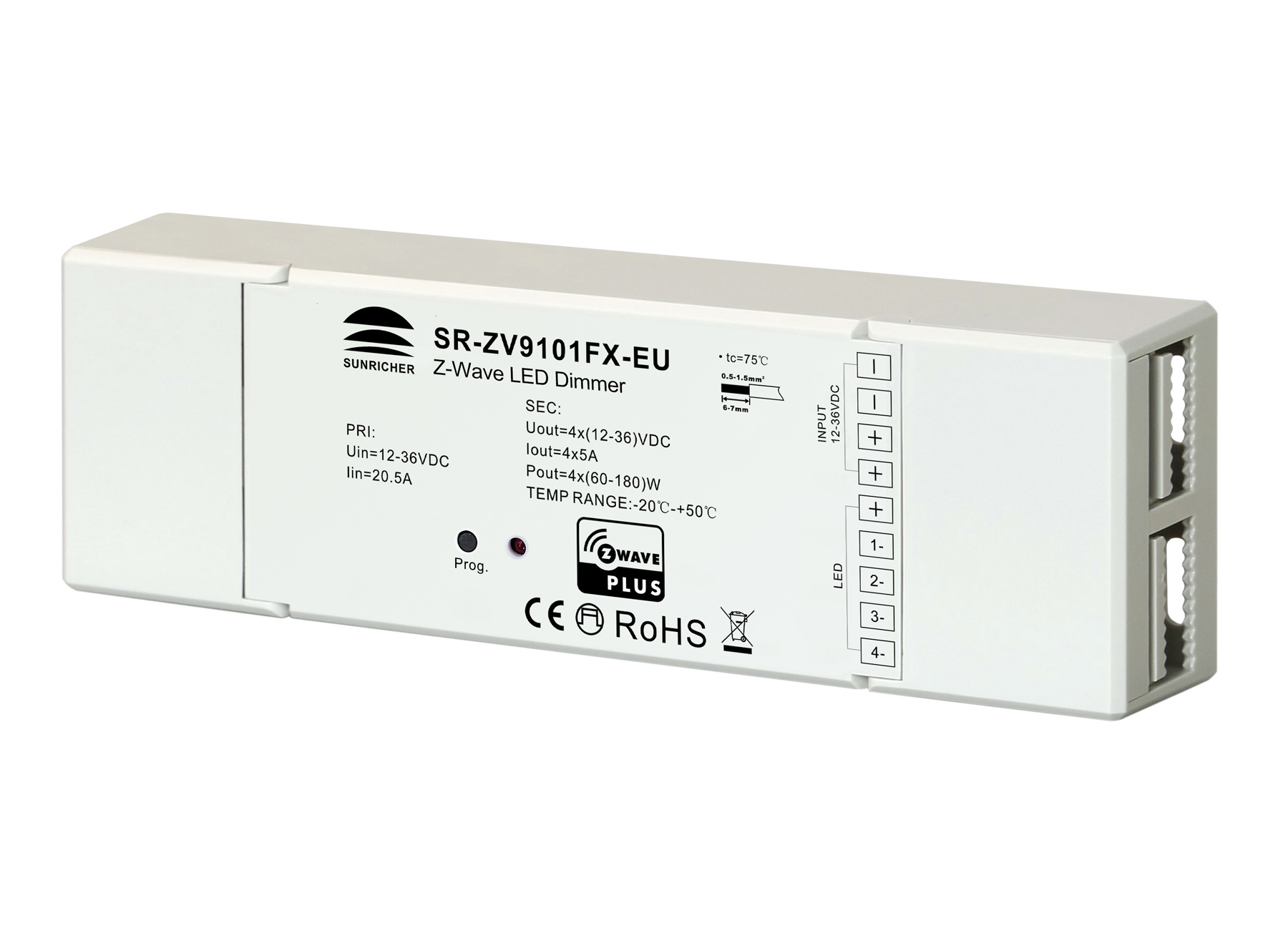
- LED Dimmer
- Brand
- Sunricher
- Features
- Feature Values Firmware Updatable
- Documents
- Category Description File Manual_Primary_Lang
- Role type
- ROLE_TYPE_SLAVE_ALWAYS_ON
- User icon
- 0x0600
- Categories
- All Lighting Devices, Dimming Lighting Devices, Lighting Accessories
- Product id
- 0xD002
- S2 classes
- S2_UNAUTHENTICATED
- Device type
- Light Dimmer Switch
- Oem version
- HW: 1 FW: 1.00
- Library type
- SLAVE_ENHANCED_232
- Supports nwi
- Yes
- Installer icon
- 0x0600
- Z wave version
- 6.71.01
- Frequency plans
- EU: 869.85MHz, 868.40MHz
- Manufacturer id
- 0x0330
- Product type id
- 0x0200
- Long description
- The LED dimmer is a Z-Wave device that is used to switch ON/OFF and adjust light intensity of the connected LED light and can be controlled by other Z-Wave devices. The dimmer can be included and operated in any Z-Wave network with other Z-Wave certified devices from other manufacturers and/or other applications. All non-battery operated nodes within the network will act as repeaters regardless of vendor to increase reliability of the network. the device cannot act as Z-Wave network controller (primary or secondary), so a security enabled controller is needed for take full advantage of all functionally for the device. It also supports the Over The Air (OTA) feature for the product’s firmware upgrade. The encryption modes that the LED dimmer supports are S0, S2 unauthenticated. When the LED dimmer is being included into a Z-Wave network, you can use your primary controller/gateway to enable one encryption mode or disable encryption. (The primary controller/gateway shall support encryption mode configuration).
- Hardware platform
- ZM5101
- Short description
- The LED dimmer is a Z-Wave device that is used to switch ON/OFF and adjust light intensity of the connected LED light and can be controlled by other Z-Wave devices.
- Product identifier
- SR-ZV9101FX-EU
- Countries / regions
- European Union
- Certification number
- ZC10-18015937
- Radio range z wave (m)
- 40
- Configuration parameters
- Parameter Number Name Description Format Size Min Value Max Value Default Value Parameter Values 2
- Supports explorer frames
- Yes
- Supported command classes
- Identifier Name Key Version COMMAND_CLASS_FIRMWARE_UPDATE_MD_V4
- Supported notification types
- Notification Type Event / State System
- Value updatable by consumer by rf supported notification types value system association groups
- Group Number Maximum Nodes Supported End Point ID Description 1
- From to description 0 0 shutoff load 1 1 turn on load 2 2 save load state before power failure 3 enable/disable to send the basic report enable/disable to send the basic report to the lifeline when the load state changed (when value set as 1, re power on the dimmer, it will send basic report automatically) 0 1 0 0 1 from to description 0 0 disable to send basic report 1 1 enable to send basic report 4 select the type of the light band select the type of the light band 0 1 0 0 2 from to description 0 0 single color light band, 4 channels pwm output to drive 4 channels single color light band 1 1 cct light band, 2 channels pwm output, r(b) controls warm white, g(w) controls cool white 2 2 rgbw light band, 4 channels pwm output to drive rgbw light band 5 choose a cool light stage mode receiving command class switch color, or switching light band type, it recovers to normal lighting mode.) remarks: when parameter number 4 is set as single color light band, the valid values of this parameter are 0~2. 0 1 0 0 0 from to description 0 0 inactive of light stage mode 1 1 fade in and fade out mode, colors set by parameter 8 2 2 flash mode, colors set by parameter 8 3 3 rainbow mode, system fixed changing effect 4 4 fade in and fade out mode, color changes randomly 5 5 flash mode, color changes randomly 6 6 rainbow mode, color changes randomly 7 7 random mode, the colors switch randomly 6 speed of stage mode speed of stage mode 0 1 0 0 243 from to description 0 255 0 is the slowest, 255(0x ff) is the fastest 7 execution times of stage mode execution times of stage mode 0 1 0 0 0 from to description 0 0 unlimited times 1 255 1~0x ff, execution times 1~255 8 the hue of stage mode the hue is only valid for fade in and fade out mode, flash mode 0 1 0 0 0 from to description 0 255 0~0x ff value of hue,only valid for fade in and fade out mode, flash mode 9 enable/disable external switch to be added to and removed from a network enable/disable external switch to be added to and removed from a network (when enables this function, triple press the external switch within 1.5 seconds to be added to or removed from a network) 0 1 0 0 0 from to description 0 0 disable 1 1 enable texts













.png)
.png)
.png)
.png)
.png)
.png)
.png)