- Name
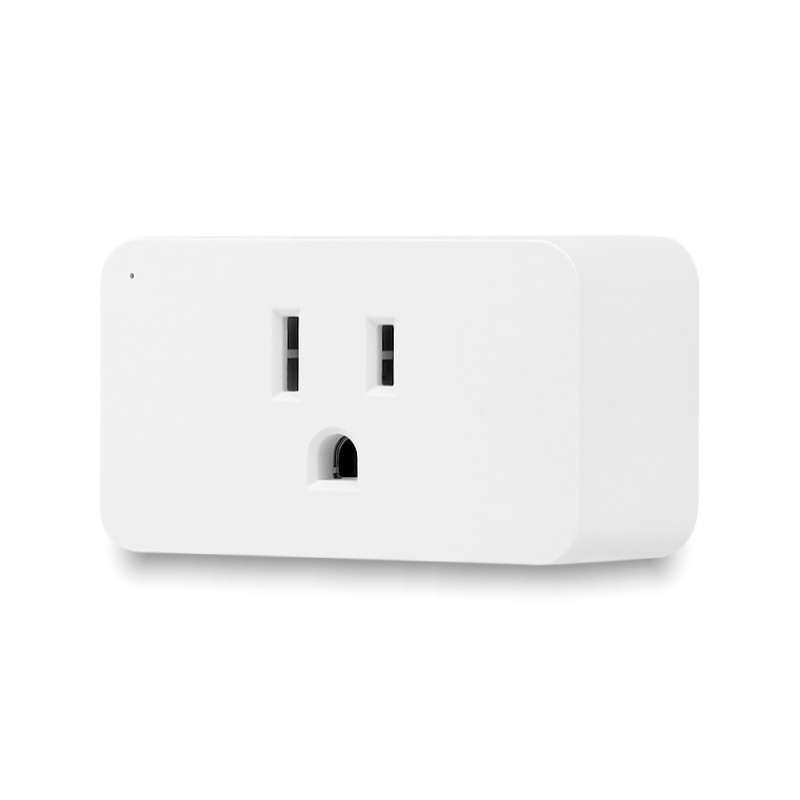
- 700 Series SMART PLUG
- Brand
- Zooz
- Features
- Feature Values Color
- Documents
- Category Description File Manual_Primary_Lang
- Role type
- ROLE_TYPE_SLAVE_ALWAYS_ON
- User icon
- 0x0701
- Categories
- Energy Meters, All Lighting Devices, On/Off Switches/Devices
- Product id
- 0xB002
- S2 classes
- S2_UNAUTHENTICATED
- Device type
- On/Off Power Switch
- Oem version
- HW: 255 FW: 1.00
- Library type
- SLAVE_ENHANCED_232
- Product line
- Plugs
- Supports nwi
- Yes
- Installer icon
- 0x0700
- Z wave version
- 6.71.03
- Frequency plans
- US: 916.00MHz, 908.40MHz
- Manufacturer id
- 0x027A
- Product type id
- 0x7000
- Long description
- FEATURES: - Reliable Z-Wave™ control of lamps and small appliances - Energy monitoring to help you manage power use - Quick set-up: just plug it into a grounded receptacle - Extra small, doesn’t block the other outlet - The latest S2 security and Z-Wave Plus™ technology - Supports OTA firmware updates - ETL listed for safety standards SPECS: - Z-Wave™ Frequency: 908.42 MHz (US) - Power: 120 VAC, 60 Hz - Maximum Loads: 960W incandescent, 150W LED bulbs, 15A resistive, 1/2 HP fan motors - Z-Wave Range: Up to 300 feet line of sight - Dimensions: 1.5" tall, 2.6" wide, 1.14" deep - Operating Temperature: 32-104° F (0-40° C) - Installation: Indoor use only
- Hardware platform
- ZM5202
- Short description
- On/off Z-Wave™ control for floor lamps & small appliances with energy monitoring.
- Product identifier
- ZEN04
- Countries / regions
- United States of America
- Certification number
- ZC10-22087117
- Radio range z wave (m)
- 40
- Configuration parameters
- Parameter Number Name Description Format Size Min Value Max Value Default Value Parameter Values 9
- Supports explorer frames
- Yes
- Supported command classes
- Identifier Name Key Version COMMAND_CLASS_POWERLEVEL
- Controlled command classes
- Identifier Name Key Version COMMAND_CLASS_BASIC_V2
- Supported notification types
- Notification Type Event / State Power Management
- Supported / controlled meter types
- Meter Type Rate Type Description Electric meter
- Value white electric load type value incandescent led inductive (e.g. motor) firmware updatable value updatable by consumer by rf switch load capacity watts value 960 association groups
- Group Number Maximum Nodes Supported End Point ID Group Name Description 2
- From to description 0 0 high 1 1 medium 2 2 low 2 auto off timer use this parameter to set the auto turn off timer: the time after which you want the smart plug to automatically turn off once it has been turned on. the number entered as value corresponds to the number of minutes. 1 4 0 65535 0 from to description 1 65535 minutes 4 on/off status recovery after power failure choose the recovery state for your smart plug if power outage occurs. 1 1 0 2 0 from to description 0 0 smart plug remembers the status prior to power outage and turns back to it 1 1 smart plug automatically turns off once power is restored (it ignores the status prior to power outage) 2 2 smart plug automatically turns on once power is restored (it ignores the status prior to the power outage) 3 auto on timer use this parameter to set the auto turn on timer: the time after which you want the smart plug to automatically turn on once it has been turned off. the number entered as value corresponds to the number of minutes. 1 4 0 65535 0 from to description 0 65535 minutes 1 led indicator decide how the led indicator behaves depending on the on/off status of the plug. 1 1 0 3 0 from to description 1 1 led indicator is on when the plug is off, led indicator is off when the plug is on 2 2 led indicator is always off 3 3 led indicator is always on 0 0 led indicator is on when the plug is on, led indicator is off when the plug is off (default) 6 power wattage reporting frequency the number entered as value corresponds to the number of minutes. so if 5 is entered by default, the smart plug will report power consumption (wattage) every 5 minutes. 1 4 1 65535 5 from to description 1 65535 minutes 5 power wattage reporting threshold 1 1 5 50 5 from to description 5 50 watts 8 energy reporting threshold choose how you want your smart plug to report energy use (k wh) to your hub. the number entered as value corresponds to the number of k wh the appliance needs to go over for the change to be reported. 1 1 1 100 1 from to description 1 100 1 = 0.01 k wh ; 100 = 1k wh 7 electrical current reporting threshold choose how you want your smart plug to report electrical current (amps) to your hub. the number entered as value corresponds to the number of amps the appliance needs to go over for the change to be reported. value 1 equals 0.1 a and value 10 equals 1 a. 1 1 1 10 1 from to description 1 10 1 = 0.1 a and 10 = 1 a texts