- Name
- Smart Boost Timer Switch
- Brand
- Aeotec
- Features
- Feature Values Switch Type
- Documents
- Category Description File Manual_Primary_Lang
- Role type
- ROLE_TYPE_SLAVE_ALWAYS_ON
- User icon
- 0x0701
- Categories
- Energy Meters, All Lighting Devices, On/Off Switches/Devices
- Product id
- 0x00B4
- S2 classes
- S2_UNAUTHENTICATED, S2_AUTHENTICATED
- Device type
- On/Off Power Switch
- Oem version
- HW: 2 FW: 1.00:01.00
- Library type
- SLAVE_ENHANCED_232
- Supports nwi
- Yes
- Installer icon
- 0x0701
- Z wave version
- 6.81.01
- Frequency plans
- EU: 869.85MHz, 868.40MHz
- Manufacturer id
- 0x0371
- Product type id
- 0x0003
- Long description
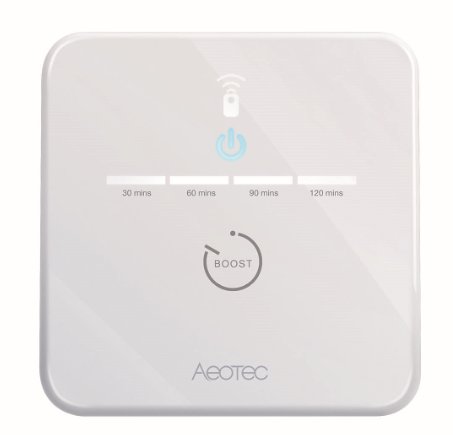
- The Aeotec Smart Boost Timer Switch is a Z-Wave Plus enabled device and can be included/operated in any Z-Wave™ network with other Z-Wave™ certified devices from other manufacturers and/or other applications. All non-battery operated nodes within the network will act as repeaters regardless of vendor to increase reliability of the network. The Aeotec Smart Boost Time Switch supports consumption meter function. When the device has been included in the network, it will report the consumption power periodically. It is also a high output countdown timer that can be used to control immersion heater elements or other electrical appliances rated up to 16A. On the product, four simple white LEDs are used to show the user how much time is left to run. Pressing the switch whilst the unit is operating allows the user to cancel the timing program,and the memory function of the timer will remember the last period selected.
- Hardware platform
- ZM5101
- Short description
- The Aeotec Smart Boost Timer Switch is a Z-Wave Plus enabled device and can be included/operated in any Z-Wave™ network with other Z-Wave™ certified devices from other manufacturers and/or other applications. All non-battery operated nodes within the network will act as repeaters regardless of vendor to increase reliability of the network.
- Product identifier
- ZWA006-C
- Countries / regions
- European Union
- Supports smart start
- Yes
- Certification number
- ZC10-18106255
- Radio range z wave (m)
- 40
- Configuration parameters
- Parameter Number Name Description Format Size Min Value Max Value Default Value Parameter Values 1
- Supports explorer frames
- Yes
- Supported command classes
- Identifier Name Key Version COMMAND_CLASS_FIRMWARE_UPDATE_MD_V4
- Controlled command classes
- Identifier Name Key Version COMMAND_CLASS_BASIC_V2
- Supported multilevel sensors
- Multilevel Sensor Type Power
- Supported / controlled meter types
- Meter Type Rate Type Description Electric meter
- Value push button switch load capacity current value 16 a supported meter type value electric energy firmware updatable value updatable by consumer by rf switch load capacity volt ampere value 220 v 16 a battery quantity value 1 battery type value cr2032 color value white sensors value power switch load capacity watts value 3680 w electric load type value incandescent neutral wire required association groups
- Group Number Maximum Nodes Supported End Point ID Description 2
- From to description 3 3 return to standard schedule (see schedule command class) so this would either be on or off depending on schedule and the time. 2 2 power off 1 1 power on 0 0 keep the last state when re power on 3 auto off timer timer acts as auto off after specified minutes, setting is set in seconds. 0 4 0 0 0 from to description 0 86400 0 no auto off with timer 1 ~ 86400 auto off after this specified time, unit second. 4 current overload protection current and overload protection 0 1 0 0 1 from to description 0 1 0 disable current and overload protection 1 enable current and overload protection 2 led status configure led (except boost) to be off irrespective of switch status. 0 1 0 0 1 from to description 0 2 0 disable all led except for boost 1 enable all led indication 2 momentary mode (led turns on for 5 seconds, then turn off led) 7 led threshold setting this parameter is used to configure the power led threshold, unit w. when the load 100 w, the power led will indicate orange. when no load, the power led will indicate white. 0 2 0 0 100 from to description 0 3000 0~3000 enabled threshold texts
- ID Description Value 1