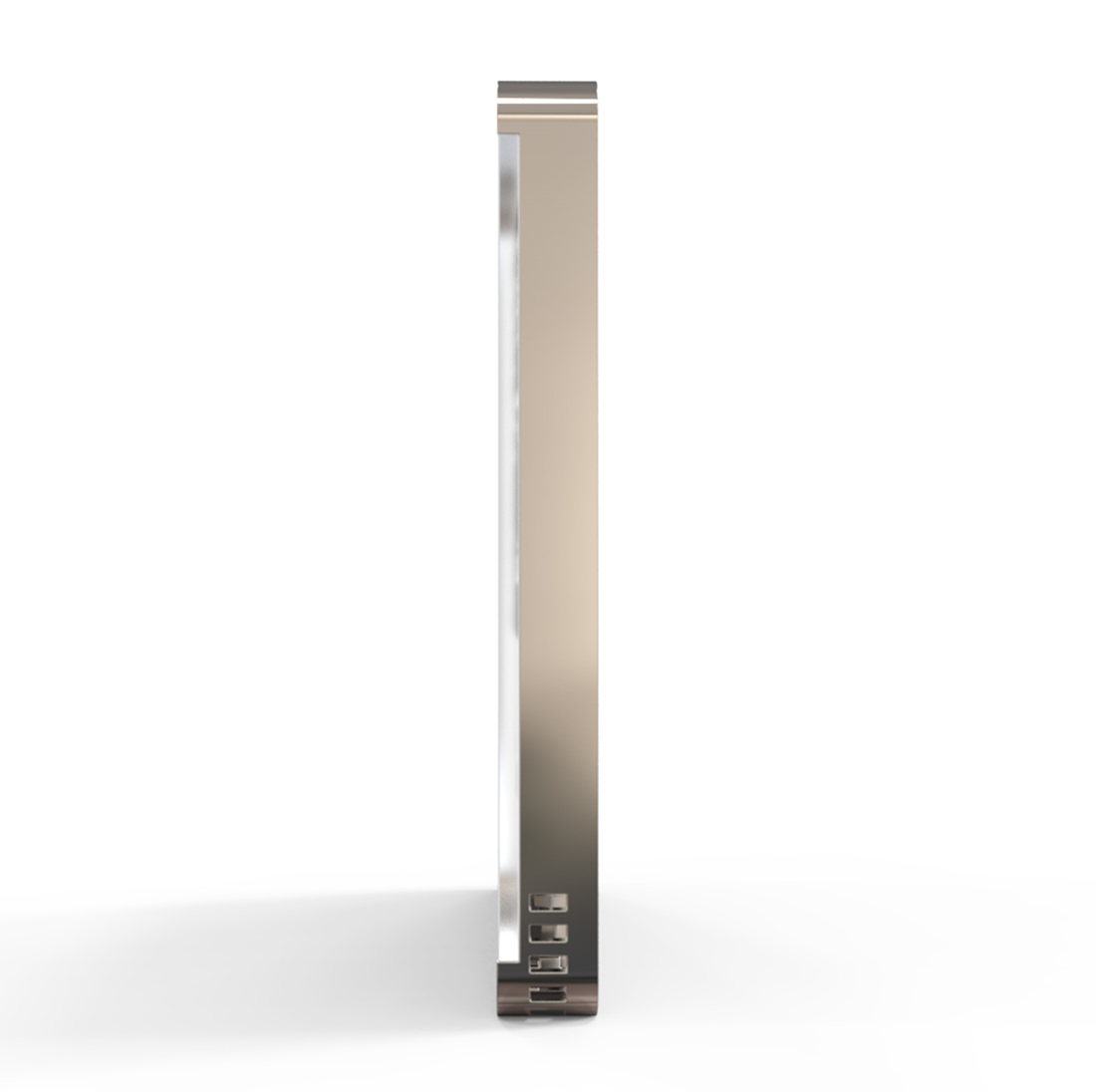
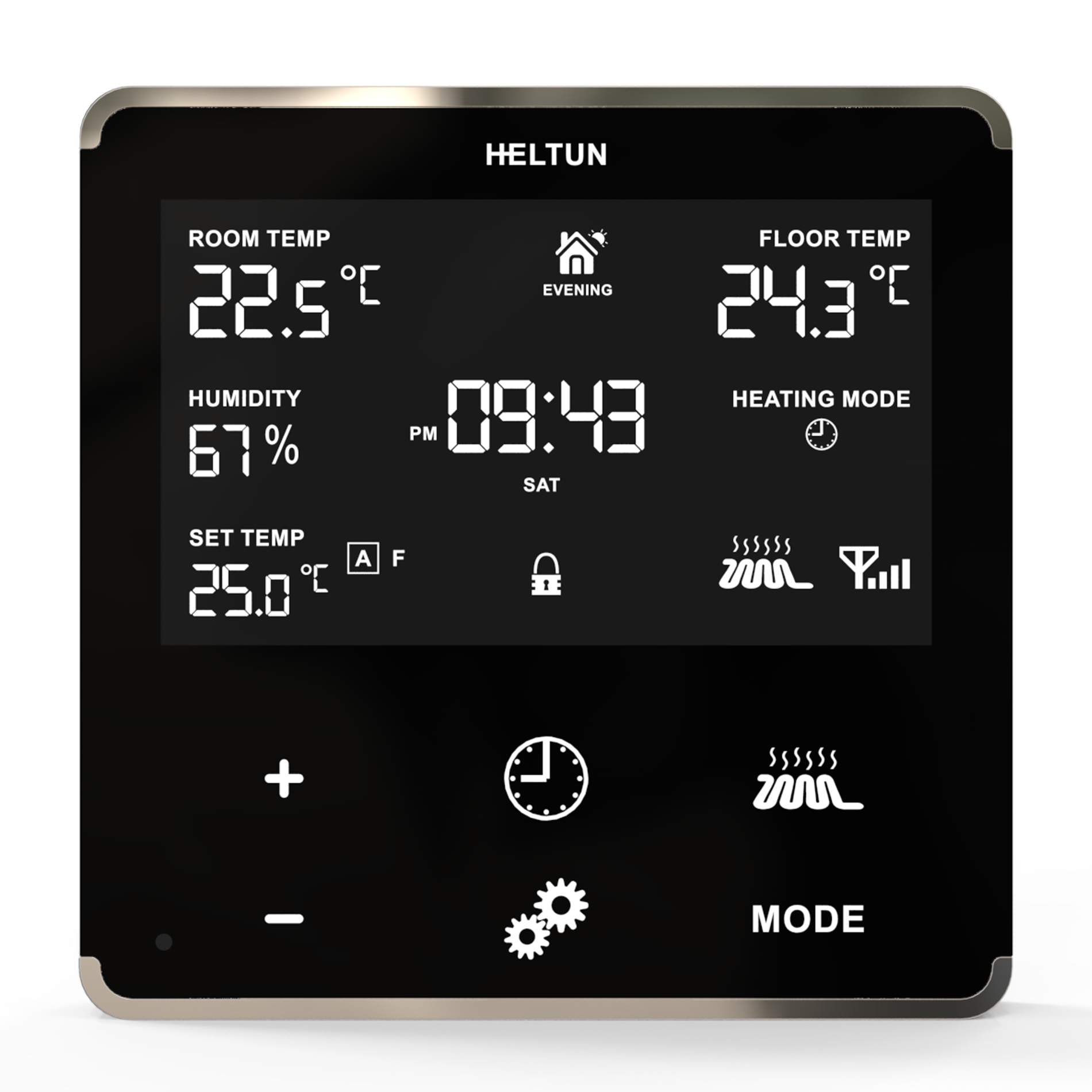
The HELTUN HE-TPS05 is an advanced programmable Z-Wave Plus v2 touch panel switch that controls many devices, including lights, dimmers, blinds, curtains, door locks, motorized valves, roller shutters, and more. Features: • Five-channel 5-amp relays with dry contact inputs • Five programmable touch buttons with two-color backlights • All buttons fully customizable to control one to five relays • Five modes configurable for each button • Each relay may be controlled by a timer or on a week schedule • Separate relays & backlights control from gateway or associated devices • Controls Scenes of gateway by touch buttons (pressed, held, released) • Built-in light, temperature, and humidity sensors • Power Consumption logic monitors energy usage • 20 association groups • Incorporates HELTUN Advanced Zero-Cross Technology • ‘Impossibly thin’ at only 9mm The HELTUN HE-TPS05 is part of an entire line of smart, connected products designed to provide the best technology has to offer without compromising stylish living.
Want to buy adds it to your wish list and follows HELTUN for updates. I own it adds it to your collection.
The HELTUN HE-TPS05 is an advanced programmable Z-Wave Plus v2 touch panel switch that controls many devices, including lights, dimmers, blinds, curtains, door locks, motorized valves, roller shutters, and more. Features: • Five-channel 5-amp relays with dry contact inputs • Five programmable touch buttons with two-color backlights • All buttons fully customizable to control one to five relays • Five modes configurable for each button • Each relay may be controlled by a timer or on a week schedule • Separate relays & backlights control from gateway or associated devices • Controls Scenes of gateway by touch buttons (pressed, held, released) • Built-in light, temperature, and humidity sensors • Power Consumption logic monitors energy usage • 20 association groups • Incorporates HELTUN Advanced Zero-Cross Technology • ‘Impossibly thin’ at only 9mm The HELTUN HE-TPS05 is part of an entire line of smart, connected products designed to provide the best technology has to offer without compromising stylish living.
Hardware platform
ZGM130
Short description
Advanced Programmable Z-Wave Plus v2 Wall Touch Panel Switch Quinto—with S2 security and SmartStart on the Z-Wave 700 platform.
Product identifier
HE-TPS05
Countries / regions
India, Malaysia, Singapore, United Arab Emirates, Brazil, Russian Federation, Australia, Japan, China, European Union, South Africa, Chile, Republic of Korea, Israel, United States of America, Hong Kong
Supports smart start
Yes
Certification number
ZC12-20040048
Radio range z wave (m)
40
Configuration parameters
Parameter Number Name Description Format Size Min Value Max Value Default Value Parameter Values 17
Supports explorer frames
Yes
Supported command classes
Identifier Name Key Version COMMAND_CLASS_CONFIGURATION_V4
Supported multilevel sensors
Multilevel Sensor Type Air temperature
Supported / controlled meter types
Meter Type Rate Type Description Electric meter
Value central scene switch type value dry contact firmware updatable value updatable by consumer by rf switch load capacity current value 5x5 a association groups
Group Number Maximum Nodes Supported End Point ID Group Name Profile Description 1
Similar Plug Switch
Current-generation and recently-released alternatives in the same category.
From to description 0 0 backlight is disabled (both color leds are turned off) 1 0 controlled by touch button 2 0 controlled by gateway or associated device 23 relay4 control source relay 4 control source 2 1 0 5 4 from to description 0 0 controlled by gateway or associated device 1 1 controlled by touch button n1 (top left) 2 2 controlled by touch button n2 (top right) 3 3 controlled by touch button n3 (bottom left) 4 4 controlled by touch button n4 (bottom right) 5 5 controlled by touch button n5 (center) 24 relay5 control source relay 5 control source 2 1 0 5 5 from to description 0 0 controlled by gateway or associated device 1 1 controlled by touch button n1 (top left) 2 2 controlled by touch button n2 (top right) 3 3 controlled by touch button n3 (bottom left) 4 4 controlled by touch button n4 (bottom right) 5 5 controlled by touch button n5 (center) 25 hold1 control mode hold control mode for touch button 1 2 1 0 3 1 from to description 0 0 hold function is disabled 1 1 operate like click 2 2 when the button is held the relay output state is on, as soon as the button is released the relay output state changes to off (momentary switch). 3 3 when the button is held the relay output state is off, as soon as the button is released the relay output state changes to on (momentary switch). 1 time correction time correction by controller 3 1 0 1 1 from to description 0 0 switch off auto correction 1 0 if tps05 is connected to a z wave gateway, the time and day will be periodically polled and corrected from the gateway 2 weekday the day of the week (starting from monday) 3 1 1 7 1 from to description 1 0 monday 2 0 tuesday 3 0 wednesday 4 0 thursday 5 0 friday 6 0 saturday 7 0 sunday 3 hour time hour 2 1 0 23 0 from to description 0 23 time hour in 24 hour format 4 minute time minute 2 1 0 59 0 from to description 0 59 manual adjustment of time minutes (60 minutes) 7 temperature report threshold temperature difference to send to controller, value x 10 2 1 0 100 5 from to description 0 0 stop sending the reports 1 100 temperature report threshhold (in °c) 8 humidity report threshold humidity difference to send to controller, value x 10 2 1 0 25 2 from to description 0 0 stop sending the reports 1 25 humidity difference to send to controller, value x 10 9 light report threshold luminance difference to send to controller in % 2 1 0 90 50 from to description 0 0 stop sending the reports 10 90 the percentage (%) change in ambient illumination that results in a light sensor report being sent to the gateway 11 temp sensor correction temperature sensor calibration, x10 1 1 100 100 0 from to description 100 100 air temperature offset value (°c x 10) 31 click2 control mode click control mode for touch button 2 2 1 0 6 1 from to description 0 0 click function disabled 1 1 relay inverts state (toggles on to off, off to on). 2 2 relay inverts state (toggles on to off, off to on) according to the button backlight state. 3 3 relay switches to on state only. 4 4 relay switches to off state only. 5 5 timer: on>off mode: relay output switches to on state (contacts are closed) then after a specified time switches back to off state (contacts are open). the time is specified in parameters 35 39. 6 6 timer: off>on mode: relay output switches to off state (contacts are open) then after a specified time switches back to on state (contacts are closed). the time is specified in parameters 35 39. 5 meter report interval energy consumption meter consecutive report interval, minutes 2 1 1 120 10 from to description 1 120 energy consumption meter consecutive report interval in minutes 6 sensors report interval sensors consecutive report interval 2 1 1 120 10 from to description 1 120 sensors consecutive report interval in minutes 42 relay control scenario1 relays control by sensors group 1 0, 10000000 … 53112359 encoded as 8 digit value (abcdefgh): a: relay number (1.. 5) b: control mode (0 temperature sensor, 1 humidity sensor, 2 light sensor, 3 time control) c: state change condition relative to the value in hgfe value field ( 0 lower than, 1 higher than) d: state change, 0 switch off, 1 switch on efgh: condition value sensor value for control modes 0 2 time of day for control mode 3. ef represents hour (0..23), gh represents minutes (0..59) 2 4 0 53112359 0 from to description 0 0 scenario function is disabled 1 53112359 behavior according to the encoded scenario 43 relay control scenario2 relays control by sensors group 2 0, 10000000 … 53112359 encoded as 8 digit value (abcdefgh): a: relay number (1.. 5) b: control mode (0 temperature sensor, 1 humidity sensor, 2 light sensor, 3 time control) c: state change condition relative to the value in hgfe value field ( 0 lower than, 1 higher than) d: state change, 0 switch off, 1 switch on efgh: condition value sensor value for control modes 0 2 time of day for control mode 3. ef represents hour (0..23), gh represents minutes (0..59) 2 4 0 53112359 0 from to description 0 0 scenario function is disabled 1 53112359 behavior according to the encoded scenario 44 relay control scenario3 relays control by sensors group 3 0, 10000000 … 53112359 encoded as 8 digit value (abcdefgh): a: relay number (1.. 5) b: control mode (0 temperature sensor, 1 humidity sensor, 2 light sensor, 3 time control) c: state change condition relative to the value in hgfe value field ( 0 lower than, 1 higher than) d: state change, 0 switch off, 1 switch on efgh: condition value sensor value for control modes 0 2 time of day for control mode 3. ef represents hour (0..23), gh represents minutes (0..59) 2 4 0 53112359 0 from to description 0 0 scenario function is disabled 1 53112359 behavior according to the encoded scenario 45 relay control scenario4 relays control by sensors group 4 0, 10000000 … 53112359 encoded as 8 digit value (abcdefgh): a: relay number (1.. 5) b: control mode (0 temperature sensor, 1 humidity sensor, 2 light sensor, 3 time control) c: state change condition relative to the value in hgfe value field ( 0 lower than, 1 higher than) d: state change, 0 switch off, 1 switch on efgh: condition value sensor value for control modes 0 2 time of day for control mode 3. ef represents hour (0..23), gh represents minutes (0..59) 2 4 0 53112359 0 from to description 0 0 scenario function is disabled 1 53112359 behavior according to the encoded scenario 46 relay control scenario5 relays control by sensors group 5 0, 10000000 … 53112359 encoded as 8 digit value (abcdefgh): a: relay number (1.. 5) b: control mode (0 temperature sensor, 1 humidity sensor, 2 light sensor, 3 time control) c: state change condition relative to the value in hgfe value field ( 0 lower than, 1 higher than) d: state change, 0 switch off, 1 switch on efgh: condition value sensor value for control modes 0 2 time of day for control mode 3. ef represents hour (0..23), gh represents minutes (0..59) 2 4 0 53112359 0 from to description 0 0 scenario function is disabled 1 53112359 behavior according to the encoded scenario 48 relay control scenario7 relays control by sensors group 7. 0, 10000000 … 53112359 encoded as 8 digit value (abcdefgh): a: relay number (1.. 5) b: control mode (0 temperature sensor, 1 humidity sensor, 2 light sensor, 3 time control) c: state change condition relative to the value in hgfe value field ( 0 lower than, 1 higher than) d: state change, 0 switch off, 1 switch on efgh: condition value sensor value for control modes 0 2 time of day for control mode 3. ef represents hour (0..23), gh represents minutes (0..59) 2 4 0 53112359 0 from to description 0 0 scenario function is disabled 1 53112359 behavior according to the encoded scenario 47 relay control scenario6 relays control by sensors group 6 0, 10000000 … 53112359 encoded as 8 digit value (abcdefgh): a: relay number (1.. 5) b: control mode (0 temperature sensor, 1 humidity sensor, 2 light sensor, 3 time control) c: state change condition relative to the value in hgfe value field ( 0 lower than, 1 higher than) d: state change, 0 switch off, 1 switch on efgh: condition value sensor value for control modes 0 2 time of day for control mode 3. ef represents hour (0..23), gh represents minutes (0..59) 2 4 0 53112359 0 from to description 0 0 scenario function is disabled 1 53112359 behavior according to the encoded scenario 49 relay control scenario8 relays control by sensors group 8 0, 10000000 … 53112359 encoded as 8 digit value (abcdefgh): a: relay number (1.. 5) b: control mode (0 temperature sensor, 1 humidity sensor, 2 light sensor, 3 time control) c: state change condition relative to the value in hgfe value field ( 0 lower than, 1 higher than) d: state change, 0 switch off, 1 switch on efgh: condition value sensor value for control modes 0 2 time of day for control mode 3. ef represents hour (0..23), gh represents minutes (0..59) 2 4 0 53112359 0 from to description 0 0 scenario function is disabled 1 53112359 behavior according to the encoded scenario 50 relay control scenario9 relays control by sensors group 9 0, 10000000 … 53112359 encoded as 8 digit value (abcdefgh): a: relay number (1.. 5) b: control mode (0 temperature sensor, 1 humidity sensor, 2 light sensor, 3 time control) c: state change condition relative to the value in hgfe value field ( 0 lower than, 1 higher than) d: state change, 0 switch off, 1 switch on efgh: condition value sensor value for control modes 0 2 time of day for control mode 3. ef represents hour (0..23), gh represents minutes (0..59) 2 4 0 53112359 0 from to description 0 0 scenario function is disabled 1 53112359 behavior according to the encoded scenario 51 relay control scenario10 relays control by sensors group 10 0, 10000000 … 53112359 encoded as 8 digit value (abcdefgh): a: relay number (1.. 5) b: control mode (0 temperature sensor, 1 humidity sensor, 2 light sensor, 3 time control) c: state change condition relative to the value in hgfe value field ( 0 lower than, 1 higher than) d: state change, 0 switch off, 1 switch on efgh: condition value sensor value for control modes 0 2 time of day for control mode 3. ef represents hour (0..23), gh represents minutes (0..59) 2 4 0 53112359 0 from to description 1 53112359 behavior according to the encoded scenario 0 0 scenario function is disabled 52 relay1 load power power load consumption (in watts) relay channel 1 in order to calculate total energy consumption relative to the time each relay is on. 2 2 0 1100 0 from to description 0 1100 power load consumption (in watts) 53 relay2 load power power load consumption (in watts) relay channel 2 in order to calculate total energy consumption relative to the time each relay is on. 2 2 0 1100 0 from to description 0 1100 power load consumption (in watts) 54 relay3 load power power load consumption (in watts) relay channel 3 in order to calculate total energy consumption relative to the time each relay is on. 2 2 0 1100 0 from to description 0 1100 power load consumption (in watts) 55 relay4 load power power load consumption (in watts) relay channel 4 in order to calculate total energy consumption relative to the time each relay is on. 2 2 0 1100 0 from to description 0 1100 power load consumption (in watts) 56 relay5 load power power load consumption (in watts) relay channel 5 in order to calculate total energy consumption relative to the time each relay is on. 2 2 0 1100 0 from to description 0 1100 power load consumption (in watts) 57 touch1 association mode touch control mode for associations with touch button 1. this parameter is intended for use when multilevel switch group associations (groups 3, 5, 7, 9, & 11) have been activated. defines the logic of values changing if one the touch button has been held for more than one second. 3 1 0 2 0 from to description 0 0 on each hold event, “up (brighten)” and “down (dim)” command will be alternately sent to associated devices. 1 0 on each hold event, the “up (brighten)” command will be sent to associated devices. 2 0 on each hold event, the “down (dim)” command will be sent to associated devices. 58 touch2 association mode touch control mode for associations with touch button 2. this parameter is intended for use when multilevel switch group associations (groups 3, 5, 7, 9, & 11) have been activated. defines the logic of values changing if one the touch button has been held for more than one second. 3 1 0 2 0 from to description 0 0 on each hold event, “up (brighten)” and “down (dim)” command will be alternately sent to associated devices. 1 0 on each hold event, the “up (brighten)” command will be sent to associated devices. 2 0 on each hold event, the “down (dim)” command will be sent to associated devices. 59 touch3 association mode touch control mode for associations with touch button 3. this parameter is intended for use when multilevel switch group associations (groups 3, 5, 7, 9, & 11) have been activated. defines the logic of values changing if one the touch button has been held for more than one second. 3 1 0 2 0 from to description 0 0 on each hold event, “up (brighten)” and “down (dim)” command will be alternately sent to associated devices. 1 0 on each hold event, the “up (brighten)” command will be sent to associated devices. 2 0 on each hold event, the “down (dim)” command will be sent to associated devices. 60 touch4 association mode touch control mode for associations with touch button 4. this parameter is intended for use when multilevel switch group associations (groups 3, 5, 7, 9, & 11) have been activated. defines the logic of values changing if one the touch button has been held for more than one second. 3 1 0 2 0 from to description 0 0 on each hold event, “up (brighten)” and “down (dim)” command will be alternately sent to associated devices. 1 0 on each hold event, the “up (brighten)” command will be sent to associated devices. 2 0 on each hold event, the “down (dim)” command will be sent to associated devices. 61 touch5 association mode touch control mode for associations with touch button 5. this parameter is intended for use when multilevel switch group associations (groups 3, 5, 7, 9, & 11) have been activated. defines the logic of values changing if one the touch button has been held for more than one second. 3 1 0 2 0 from to description 0 0 on each hold event, “up (brighten)” and “down (dim)” command will be alternately sent to associated devices. 1 0 on each hold event, the “up (brighten)” command will be sent to associated devices. 2 0 on each hold event, the “down (dim)” command will be sent to associated devices. texts

.PNG)












.png)
.PNG)