- Name
- Z-Wave Metering Plug Smart Start
- Brand
- Popp & Co.
- Features
- Feature Values Sensors
- Documents
- Category Description File Manual_Primary_Lang
- Role type
- ROLE_TYPE_SLAVE_ALWAYS_ON
- User icon
- 0x0700
- Categories
- Energy Meters, All Lighting Devices, On/Off Switches/Devices
- Product id
- 0x000A
- S2 classes
- S2_UNAUTHENTICATED
- Device type
- On/Off Power Switch
- Oem version
- HW: 1 FW: 3.01
- Library type
- SLAVE_ENHANCED_232
- Supports nwi
- Yes
- Installer icon
- 0x0700
- Z wave version
- 6.81.00
- Frequency plans
- EU: 869.85MHz, 868.40MHz
- Manufacturer id
- 0x0154
- Product type id
- 0x0003
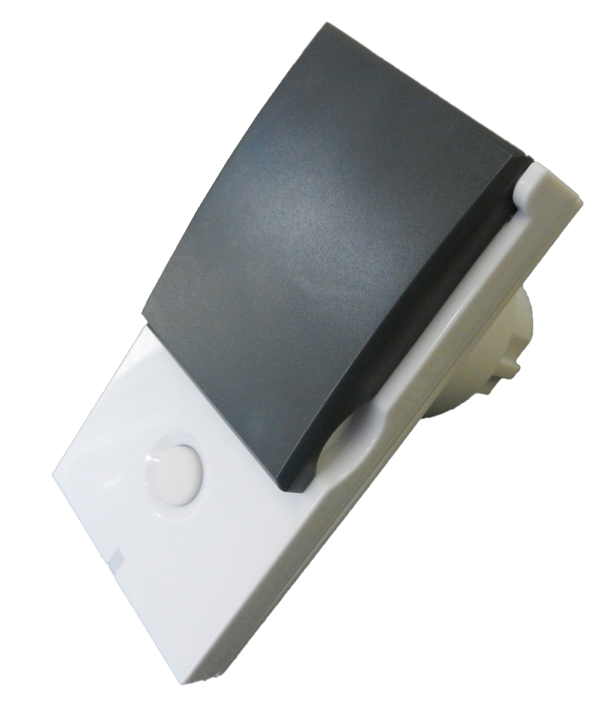
- Long description
- The Wall Plug Switch Outdoor can be placed between a wall outlet for Schuko plugs (plug type F) and electric devices, plugged in by cord. It can switch all loads up to 3500 W. The plug switch is IP 44 rated and can therefore be used both in dry as well as humid environments in- and outdoor. Switching is controlled by the local button or wirelessly. The use of the local button and the behavior oon wireless commands can be configured using configuration parameters. Whn detached from the control of local leads the button on the device can be used to trigger scenes in a central gateway. Single click and double click are distinguished. The device is also measuring the mains voltage supply reporting mains voltage and mains frequency. Addtionally the powr consumption of the attached load is monitored as well. All metering values an be requested from the central controller and will be reported unsolicited if configured.
- Hardware platform
- ZM5101
- Short description
- The IP 44Wall Plug Switch Outdoor can be placed between a wall outlet for Schuko plugs and electric devices, plugged in by cord.
- Product identifier
- POPE700397
- Countries / regions
- European Union
- Supports smart start
- Yes
- Certification number
- ZC10-18026015
- Radio range z wave (m)
- 40
- Configuration parameters
- Parameter Number Name Format Size Min Value Max Value Default Value Parameter Values Description 3
- Supports explorer frames
- Yes
- Supported command classes
- Identifier Name Key Version COMMAND_CLASS_FIRMWARE_UPDATE_MD_V4
- Controlled command classes
- Identifier Name Key Version COMMAND_CLASS_BASIC
- Supported multilevel sensors
- Multilevel Sensor Type Voltage
- Supported / controlled meter types
- Meter Type Rate Type Description Electric meter
- Value voltage electric load type value incandescent fluorescent elv (electronic) led dimmable led inductive (e.g. motor) dimmable fluorescent dimmable mlv (magnetic) dimmable elv (magnetic) outdoor use switch load capacity watts value 3500 supported meter type value electric energy ip (ingress protection) rated firmware updatable value updatable by consumer by rf color value white association groups
- Group Number Maximum Nodes Supported End Point ID Description 1
- From to description 1 1 ignores off command 2 2 switches on 3 3 switches on, when receiving off command and current state is off 0 0 switches off 2 auto off 0 2 0 0 0 from to description 0 0 no auto off 1 65535 seconds defines if and after which time the device shall turn off without any user interaction 1 led operation mode 0 1 0 0 1 from to description 0 0 led off, only blinks on traffic 1 1 defined by parameter 21 and 22 defines when the led shall shine and how 24 current reporting threshold 0 1 0 0 10 from to description 0 0 disabled 1 255 * 0,01 a report the current when the current has changed by more then x *0,01 a. when disabled the device will report every 10 minutes regardless of current change. 25 power reporting threshold 0 1 0 0 50 from to description 0 0 disabled 1 255 w report the power when the power has changed by more then x watt. when disabled the device will report every 10 minutes regardless of power consumption change. 23 voltage report threshold 0 1 0 0 100 from to description 0 0 disabled 1 250 volt report the voltage when the voltage has changed by more then x * 1 v. when disabled the device will report every 10 minutes regardless of current voltage. 5 status after power failure 0 1 0 0 1 from to description 0 0 always off 1 1 return to last switching state defines the switching status after a power failure or unplugging 4 button mode 0 1 0 0 0 from to description 0 0 controls load + controls scenes 1 1 scene control only this parameter defines if the local button shall control (switch) the load or it is only used to send out scene control commands to the central controller. texts