- Name
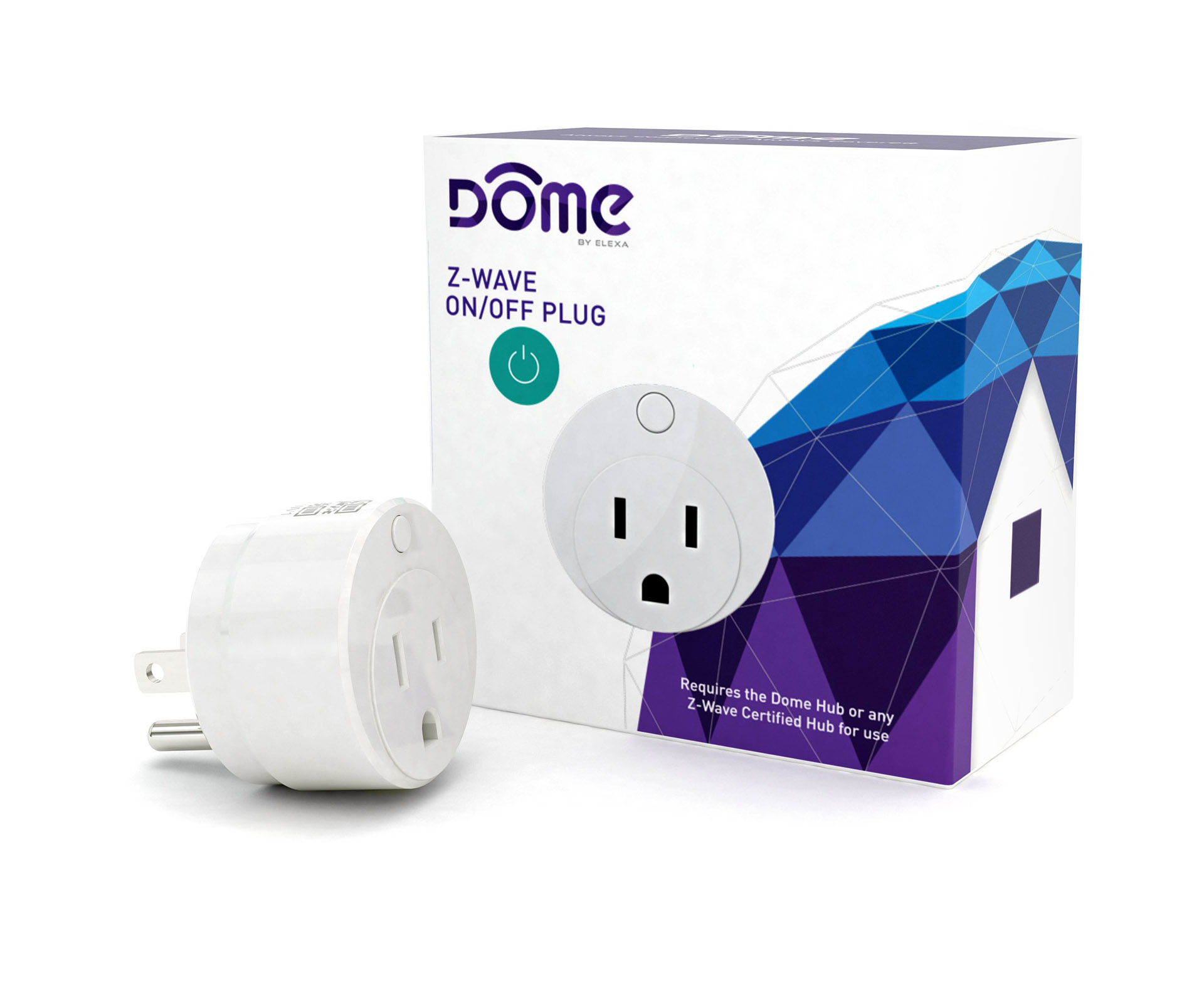
- Dome On/Off Plug-In Switch
- Brand
- Dome
- Features
- Feature Values Color
- Documents
- Category Description File Manual_Primary_Lang
- Role type
- ROLE_TYPE_SLAVE_ALWAYS_ON
- User icon
- 0x0700
- Categories
- Energy Meters, All Lighting Devices, On/Off Switches/Devices
- Product id
- 0x1087
- Device type
- On/Off Power Switch
- Oem version
- HW: 65 FW: 3.70
- Library type
- SLAVE_ENHANCED_232
- Supports nwi
- Yes
- Installer icon
- 0x0700
- Z wave version
- 6.51.06
- Frequency plans
- US: 916.00MHz, 908.40MHz
- Manufacturer id
- 0x021F
- Product type id
- 0x0003
- Long description
- The Dome™ Home Automation DMOF1 On/Off Plug is designed to give you control over small appliances from your smart device wherever you are. Conserve energy and save money always knowing how much power is used by every monitored appliance. Plug in your lamp and have it turn on/off on demand or according to preset schedule (Z-Wave Certified Hub required). Also great for humidifiers, dehumidifiers, air conditioners, space heaters, fans and holiday lights. It never blocks the other side of your duplex receptacle with the ergonomic design. Extra-long Z-Wave wireless range (up to 150 ft) allows you to place it where it’s needed without worrying if the signal is reaching your Z-Wave Hub. It also acts as a Z-Wave range extender. Dome™ DMOF1 On/Off Plug comes with a 1-year limited warranty. Measurements in inches: 1.625 x 1.625 x 2. Dome™ Home Automation system gives your family peace of mind and security you can count on. With Dome™, you’re always connected and always covered. • Used to turn On/Off lamps and small appliances for up to 13 Amps (1,560 Watts). Monitors energy consumption of attached device and shuts down in case of overload with build-in protection circuit • Ergonomic design allows it to only occupy single side of electrical duplex leaving the second outlet fully accessible. It doubles as Z-Wave signal extender • Up to 150-foot range. Operating Temperature: 32°F - 112°F • Z-Wave Plus Certified. Requires a Z-Wave Certified Hub to operate • Tested to work with SmartThings, Vera, Staples Connect, HomeSeer, Nexia, Piper, URC, Harmony. Not supported by Wink, DSC, ADT Pulse, 2Gig, Napco, Interlogix, Honeywell (Dome is not associated with listed brands)
- Hardware platform
- ZM5202
- Short description
- Dome™ Z-Wave On/Off Plug-In Switch with Energy Monitoring, Miniature, Z-Wave Extender
- Product identifier
- DMOF1
- Countries / regions
- United States of America
- Certification number
- ZC10-16095213
- Configuration parameters
- Parameter Number Name Description Format Size Min Value Max Value Default Value Parameter Values 10
- Supports explorer frames
- Yes
- Supported / controlled meter types
- Meter Type Rate Type Description Electric meter
- Value white switch load capacity watts value 1560 supported meter type value electric energy switch type value push button with indicator association groups
- Group Number Maximum Nodes Supported End Point ID Description 1
- From to description 0 0 disable button 1 1 enable button 1 enable/disable meter report this parameter enables/disables the meter report function, which sends periodic reports to group1 members with information on line voltage, current load, and power & energy consumption. also see param 2 & 6. 0 1 0 0 1 from to description 0 0 disable meter functionality 1 1 enable meter functionality 2 meter report interval this parameter sets the amount of time between each successive meter report signal sent to group 1 (also see param 1 & 6.) 0 2 0 0 300 from to description 1 65535 in seconds 5 enable/disable indicator led this parameter enables or disables the indicator led. 0 1 0 0 1 from to description 0 0 disable led 1 1 enable led 6 current change meter report level in addition to sending a meter report to group 1 in the time interval set by param 2, the on/off plug in switch also sends a meter report when it detects a relative change in current flow. this parameter sets this minimum current change amount, in percent, at which point the on/off plug in switch will send a meter report to group 1. also see param 1 & 2. 0 1 0 0 5 from to description 1 100 in percent change in amps 8 enable/disable timer function if this parameter is enabled, whenever the on/off plug in switch is turned on, it will automatically turn off after a set amount of time (set in param 9.) 0 1 0 0 0 from to description 0 0 disable timer functionality 1 1 enable timer functionality 9 set timer time interval sets the time interval before the on/off plug in switch automatically shuts off. see param 8. 0 2 0 0 150 from to description 1 65535 in minutes 7 remember on/off status this parameter sets whether or not the on/off plug in switch will remember if it was turned on or off when it was last plugged in. if enabled, whenever the device is rebooted (plugged in and out of the main outlet,) it will resume its state from before the reboot. if disabled, it will turn on everytime the device is rebooted. 0 1 0 0 1 from to description 0 0 do not remember on/off status 1 1 remember on/off status texts













.jpg)